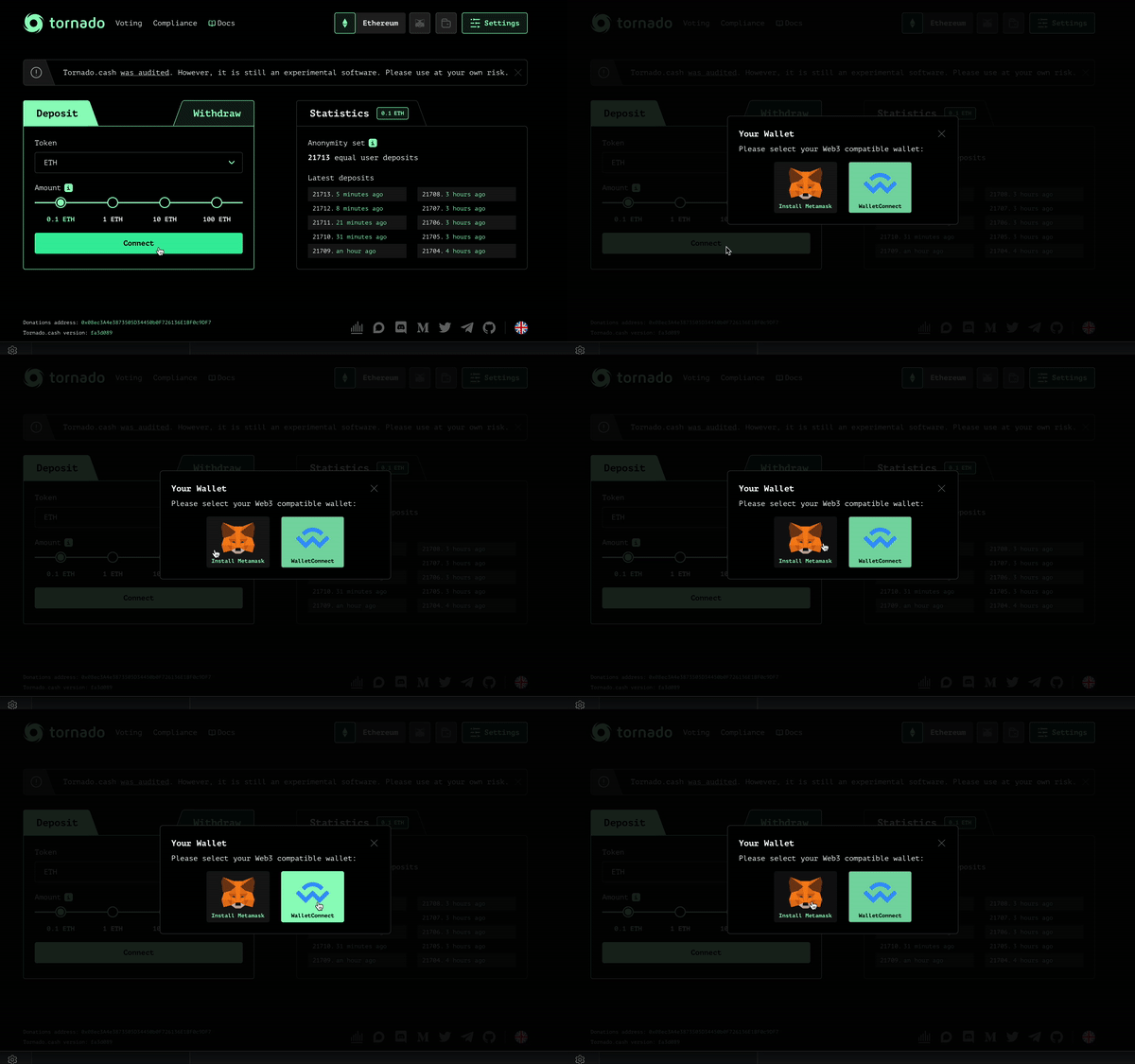
To connect your wallet to Tornado Cash, you have two options: You can either click on Connect on the main page of Tornado Cash, directly after selecting your deposit amount.
Connecting via the home pageYou can also click on Settings on the top right of the page then click on Connect your wallet.
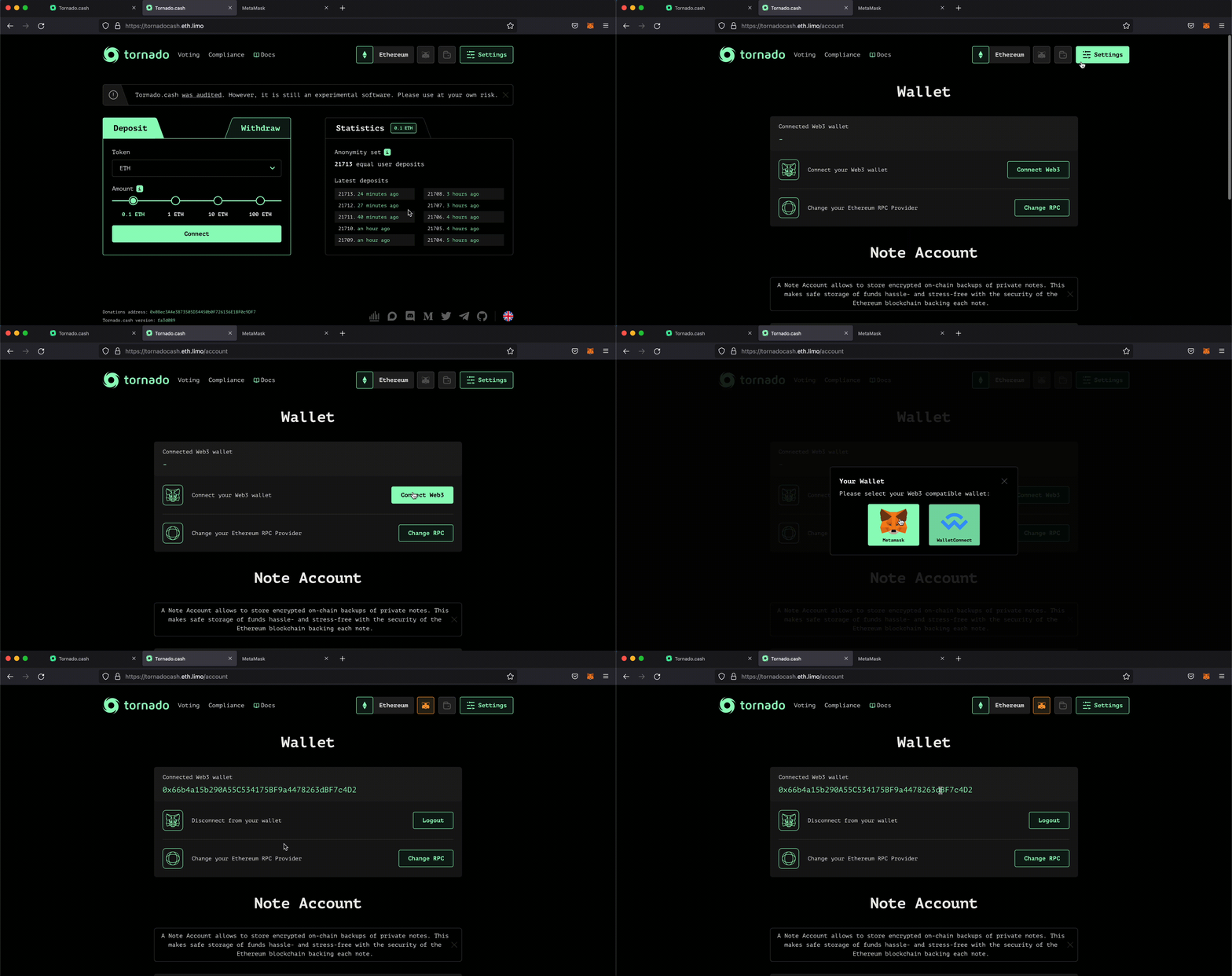
Connecting via Settings
If you have a Metamask wallet, you have to make sure you already have the extensions installed on your browser. If you don't know how to install it, you can check this tutorial before the next step.
1. Once you have the extension installed, click on Connect.
2. A pop up page will open up asking if you wish to connect your wallet to Tornado Cash.
3. Click on Next, then Connect.
4. You are now connected to Tornado Cash.
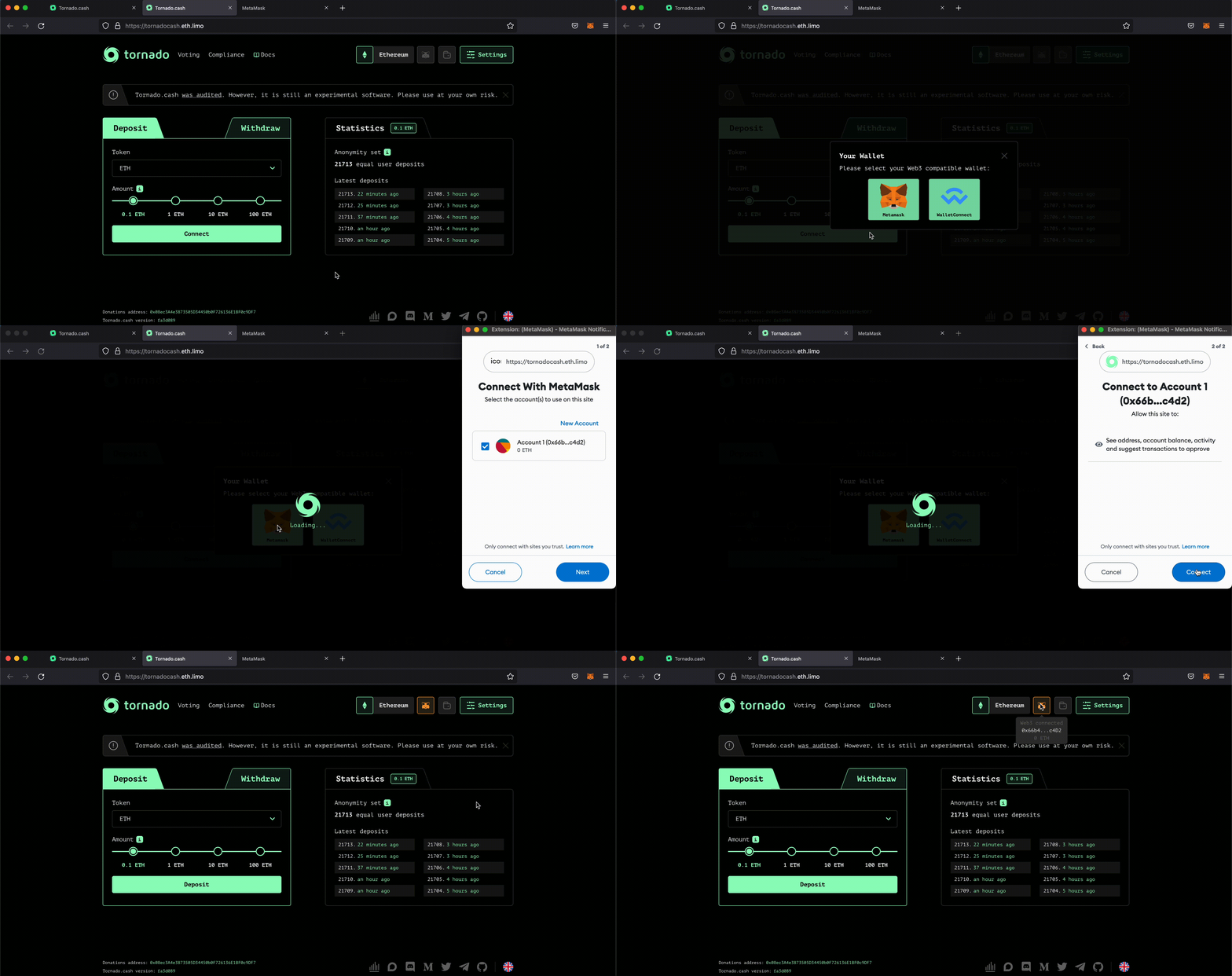
Connection with a Metamask Wallet
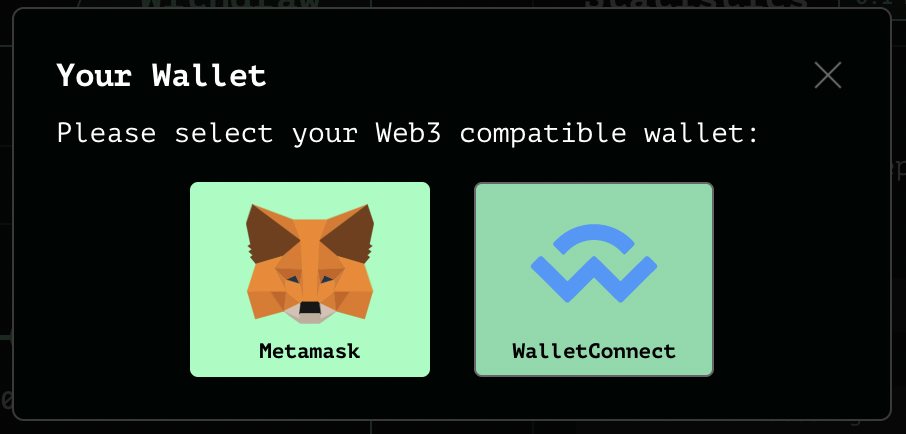
For other wallets, you should click on WalletConnect. You will have to use your phone since many wallets do not have Desktop applications yet.
It generates a QR code that needs to be scanned.
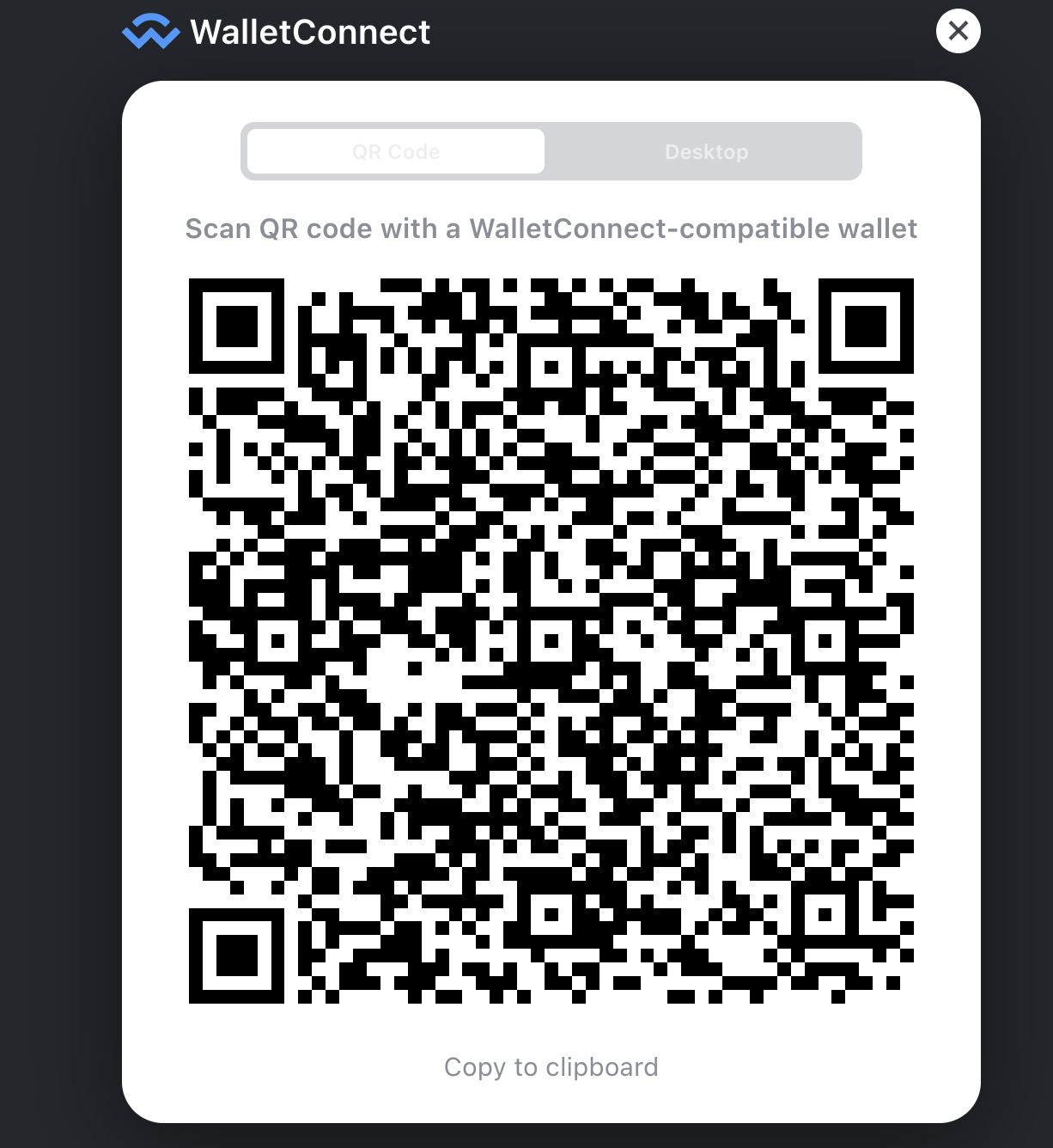
WalletConnect's QR code
To connect your wallet, you will need your phone. If you have a TrustWallet wallet, you should open the application on your smartphone then follow the next steps:
1. Click on Settings.
2. Click on WalletConnect.
3. Scan the QRCode on Tornado Cash's page.
4. Click on Connect.
5. You are now connected with Tornado Cash.
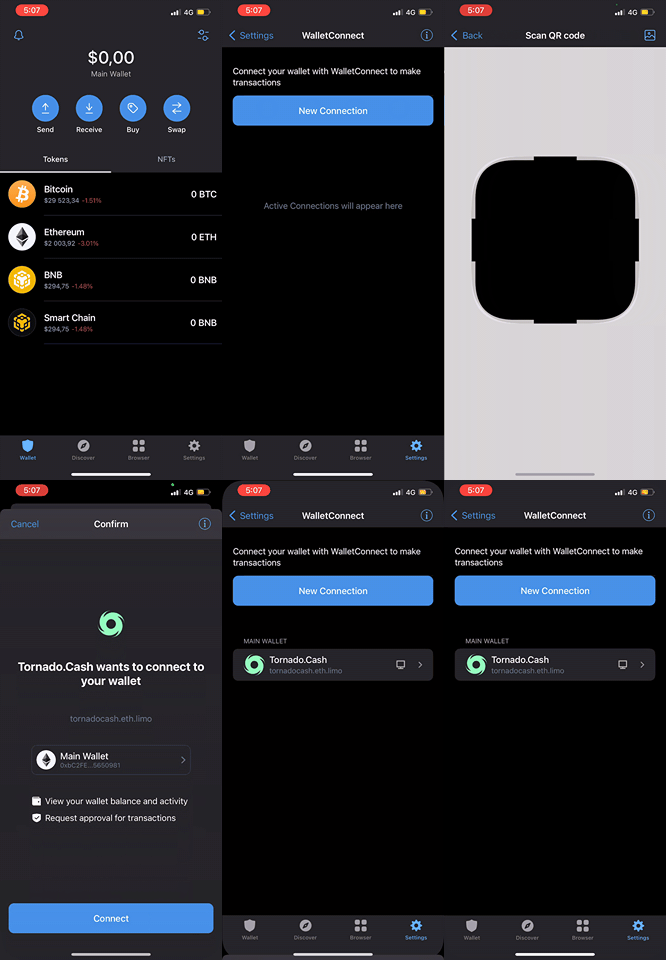
Connecting Trustwallet
To connect your wallet, you will need your phone. If you have a ImToken wallet, you should open the application then follow the next steps:
1. Click on the icon (top right).
2. Scan the QRCode on Tornado Cash's page.
3. Click on Connect.
4. You are now connected with Tornado Cash.
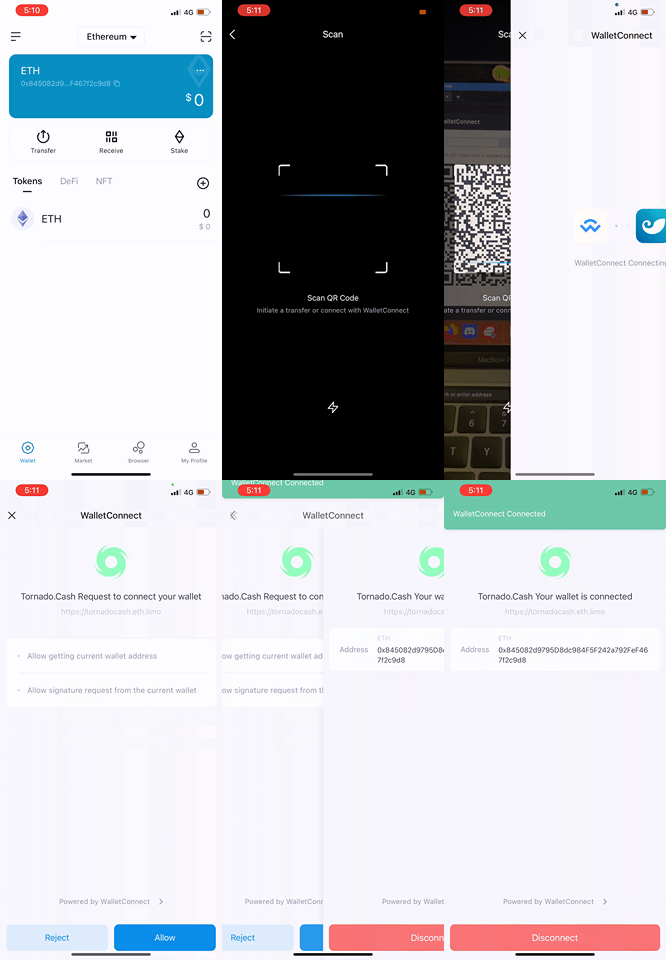
Connecting ImToken
To connect your wallet, you will need your phone. If you have a Argent wallet, you should open the application then follow the next steps:
1. Click on the Send (bottom right).
2. Click on the scan icon (top right).
3. Scan the QRCode on Tornado Cash's page.
4. You are now connected with Tornado Cash.
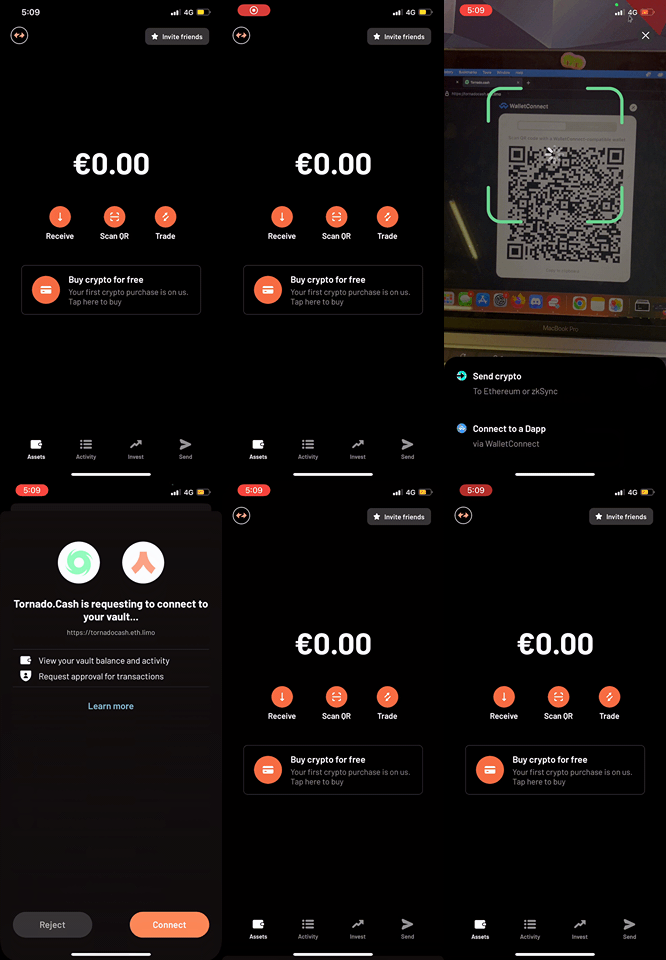
Connecting Argent
For others wallets, steps might be really similar: WalletConnect's QR code needs to be scanned in order to link your wallet to Tornado Cash. Make sure to always check for a scanning icon (often located on the landing page or the settings section on your wallet's application).