<p>This tutorial is a step-by-step explanation of how to deposit &amp; withdraw your funds. If you want to understand how the internal system of Tornado.cash works, please refer to this tutorial.</p>
<h3 id="choose-a-chain">Choose a chain</h3>
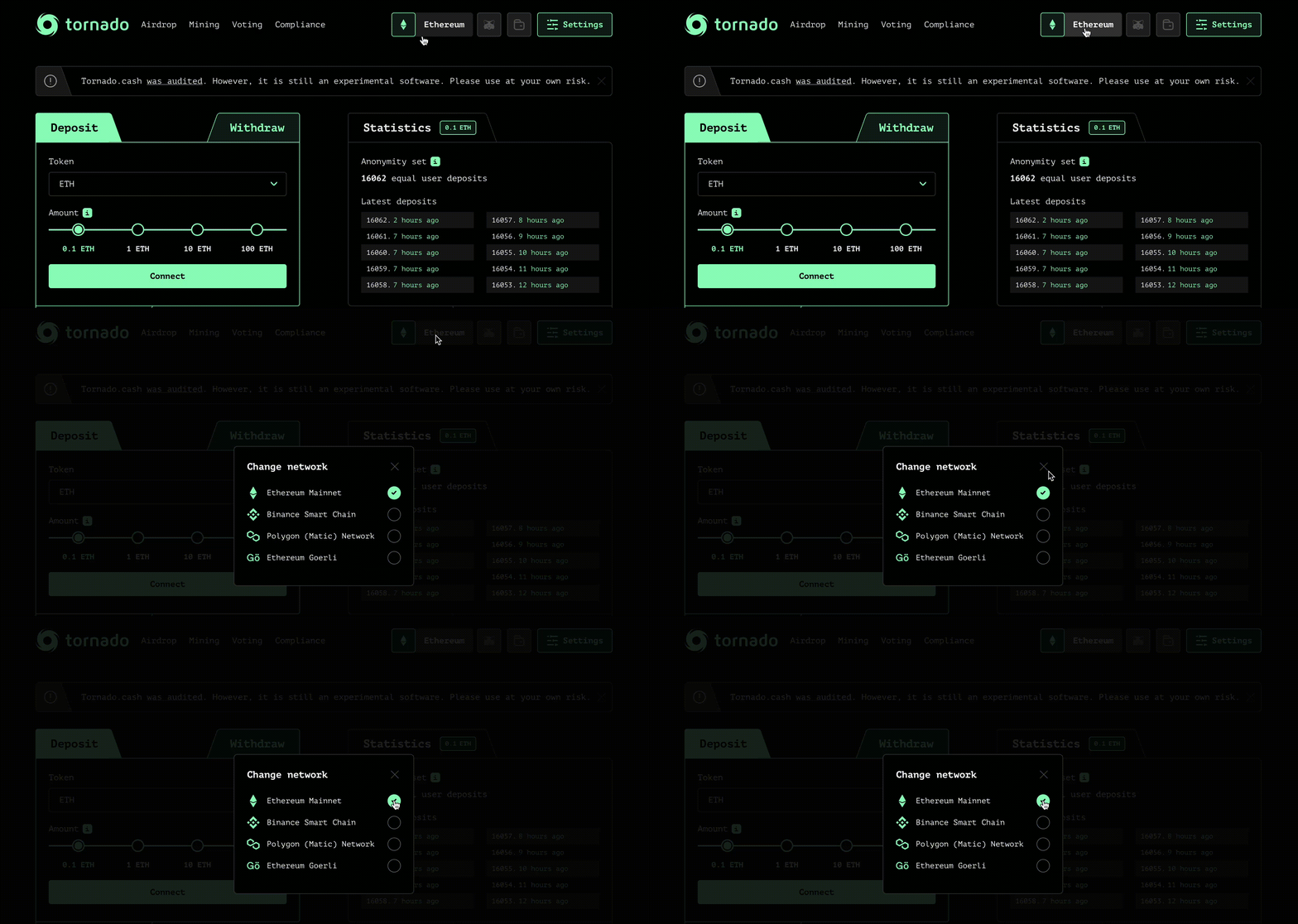
<p>​<a href="https://tornadocash.eth.link/" target="_blank" rel="noopener noreferrer">Tornado cash</a> is available on several blockchains, so you will have to choose among 4 chains:</p>
<figure><img src="/uploads/imported-19bf5fcdf7329f8061513a08.gif" alt="" loading="lazy"><figcaption></figcaption></figure>
<h3 id="select-a-token">Select a token</h3>
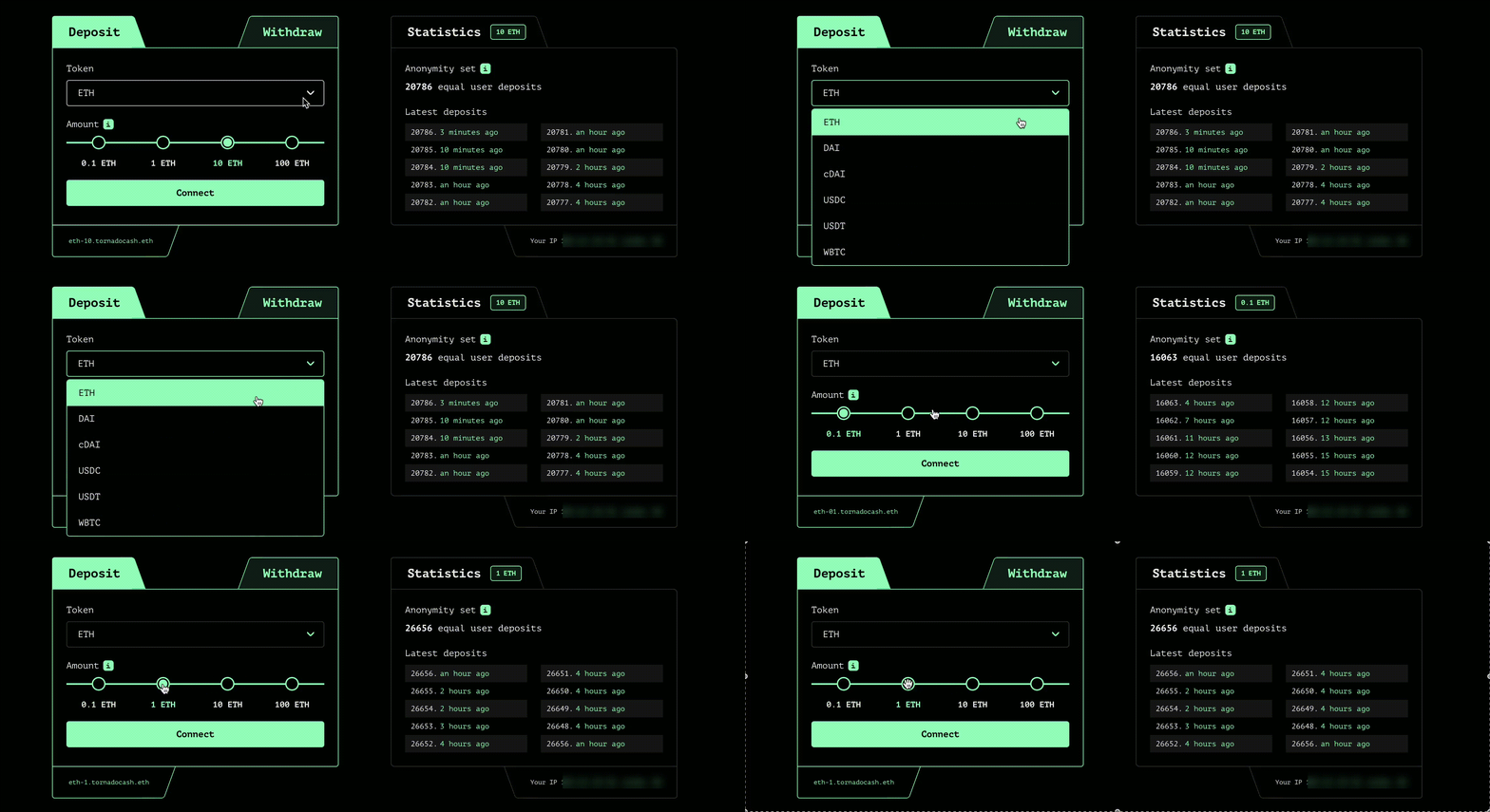
<p>Choose the token you want to deposit and its amount:</p>
<figure><img src="/uploads/imported-6ae7b98ecc72f8a2c28dd17d.gif" alt="" loading="lazy"><figcaption></figcaption></figure>
<h3 id="connect-your-wallet">Connect your wallet</h3>
<p>Click on <code>Connect</code> and choose between wallet providers such as Metamask or WalletConnect.</p>
<h3 id="save-your-note">Save your note</h3>
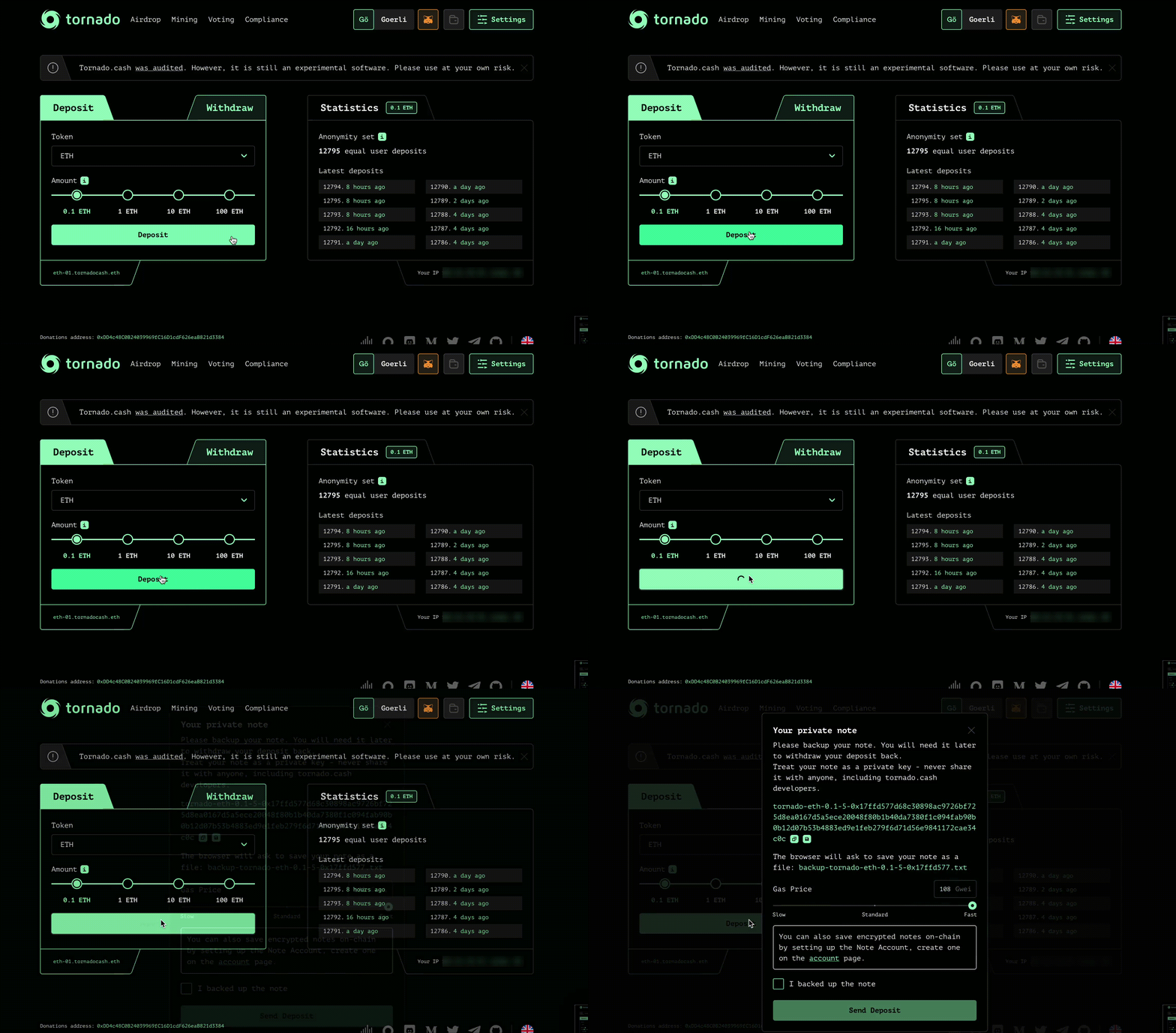
<p>Click on <code>Deposit</code> and store your note on a secure place before clicking on <code>I backed up the note</code>. You can also save encrypted notes on-chain by setting up a Note Account, by clicking on <code>Settings</code> (top-right corner).</p>
<figure><img src="/uploads/imported-346b48e8709960f477f55967.gif" alt="" loading="lazy"><figcaption></figcaption></figure>
<h3 id="be-patient">Be patient</h3>
<p>As explained <a href="/general/tips-to-remain-anonymous">here</a>, the longer you wait, the greater your anonymity set will be.</p>
<p>Congrats ! You did it. Now your tokens are on the Tornado.Cash pool.</p>
<h3 id="withdraw">Withdraw</h3>
<h3 id="choose-a-chain-1">Choose a chain</h3>
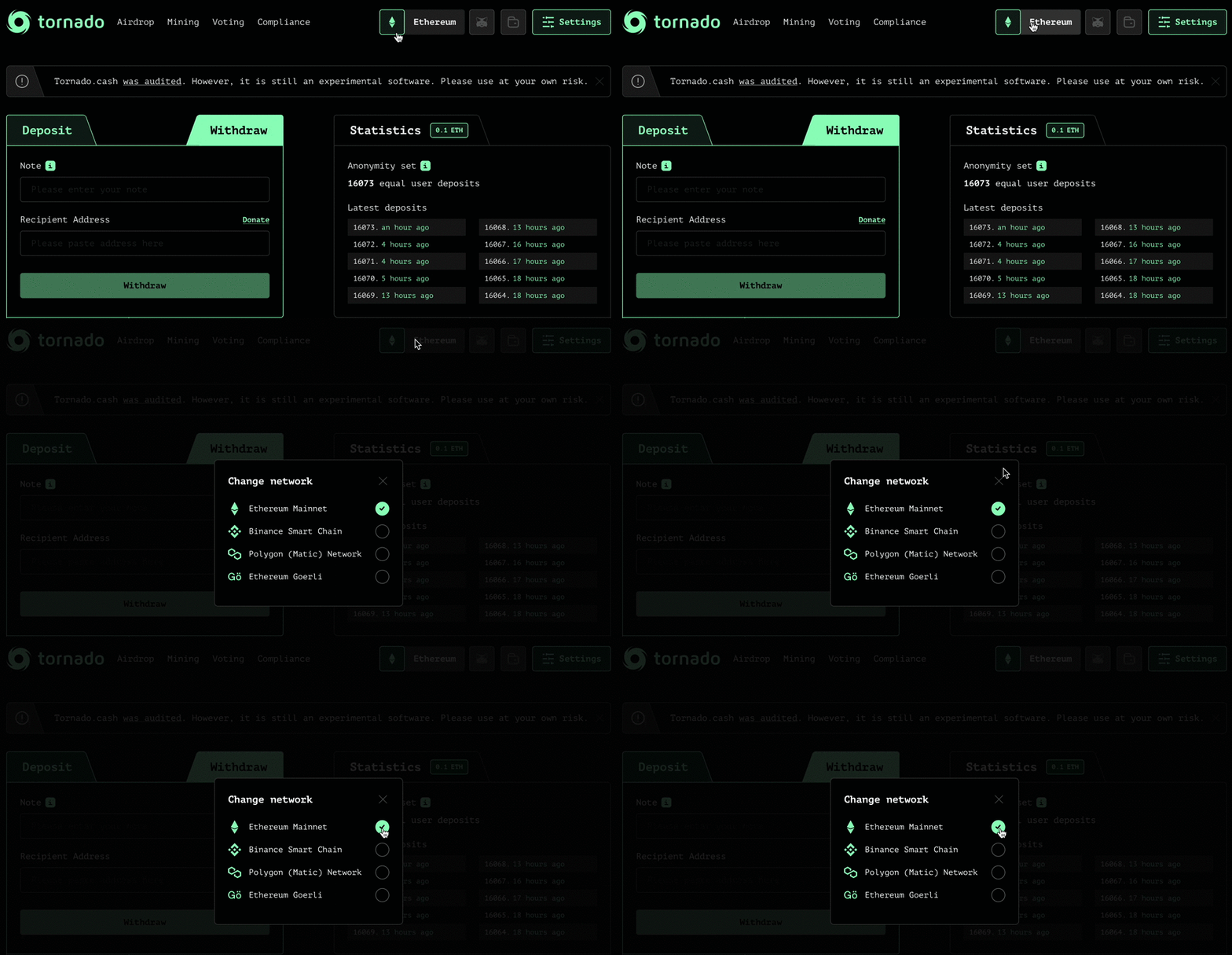
<p>​<a href="https://app.tornado.cash/" target="_blank" rel="noopener noreferrer">Tornado cash</a> is available on several blockchains, so you will have to choose among 4 chains:</p>
<figure><figure><img src="/uploads/pasted-5f40f3cef47c4ae17885fe05.gif" alt="" loading="lazy"><figcaption></figcaption></figure></figure>
<h3 id="paste-your-note">Paste your note</h3>
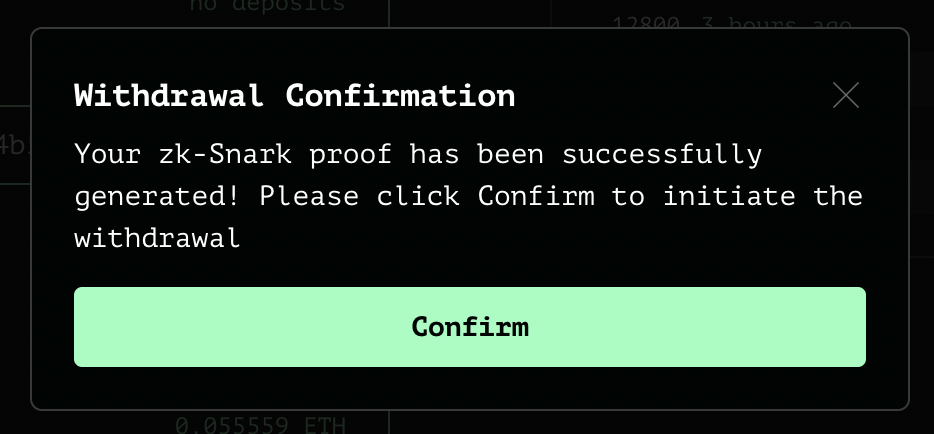
<p>Use your deposit note by pasting it in the corresponding box. Click on <code>Withdraw</code> and wait for the zk-Snark proof to be generated.</p>
<h3 id="confirm-the-withdrawal">Confirm the withdrawal</h3>
<figure><img src="/uploads/imported-243ea4ecf2ed9e60795cc859.png" alt="" loading="lazy"><figcaption></figcaption></figure>
<p>Done !</p>