<p>However, before and after your transactions are executed, your privacy may not be ensured. That's why we advise you to use TOR when you use Tornado Cash.</p>
<p>Here is a quick and easy tutorial to ensure your anonymity.</p>
<h3 id="step-1-install-tor">Step <strong>#1 - Install</strong> TOR</h3>
<p>Choose the appropriate operator system and click on Download.</p>
<p>Then, run it.</p>
<h3 id="step-2-configure-tor">Step <strong>#2 - Configure</strong> TOR</h3>
<p>First, search for <code>about:config</code> on your URL navigation bar.</p>
<figure><img src="/uploads/20260615-180628-a0b1de7245.png" alt="" loading="lazy"><figcaption>Tor Browser</figcaption></figure>
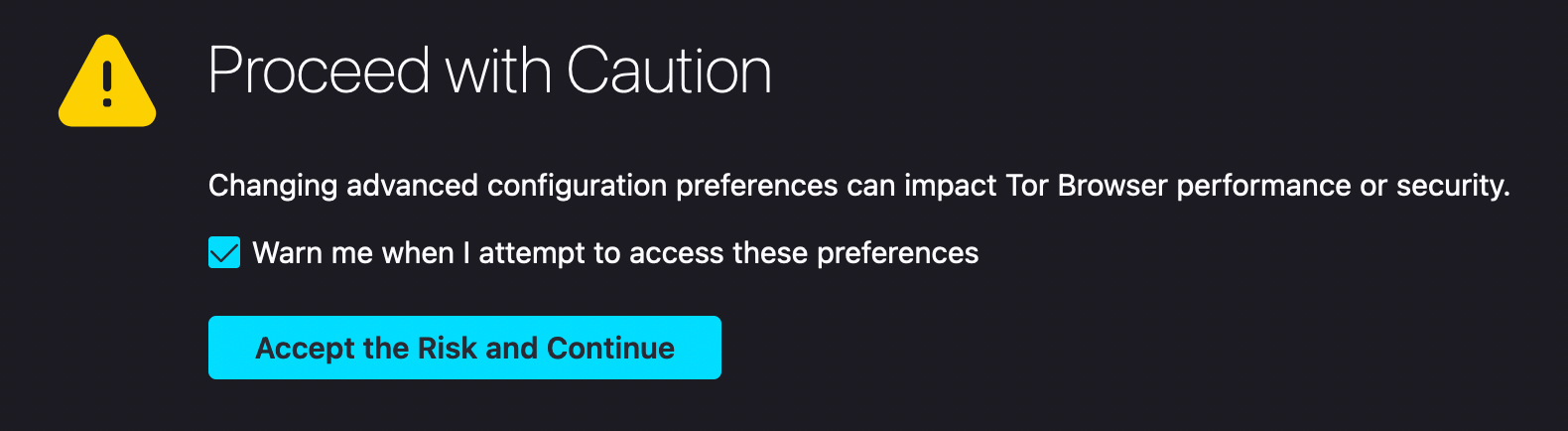
<p>Then, accept the caution message by clicking on <code>Accept the Risk and Continue</code>.</p>
<figure><img src="/uploads/20260615-180944-201678dcc2.png" alt="" loading="lazy"><figcaption></figcaption></figure>
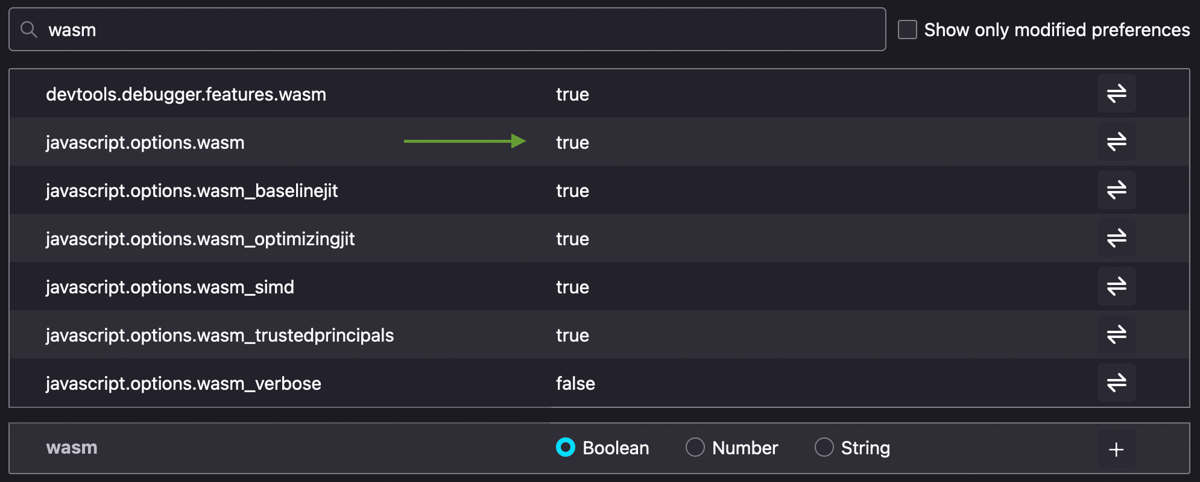
<p>Search for <code>wasm</code> and turn <code>javascript.options.wasm</code> on true.</p>
<figure><img src="/uploads/imported-5c2897e3442c623bdedfe40f.webp" alt="" loading="lazy"><figcaption></figcaption></figure>
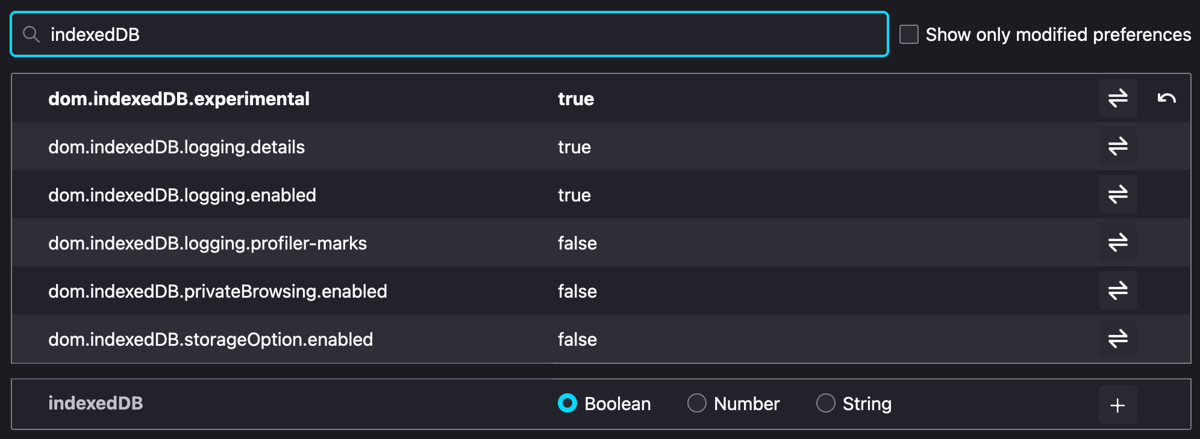
<p>Search for <code>indexedDB</code> and turn <code>dom.indexedDB.logging.details</code> and <code>dom.indexedDB.logging.enabled</code> on true</p>
<figure><img src="/uploads/imported-2dcfd257409682b22a0085ae.webp" alt="" loading="lazy"><figcaption></figcaption></figure>
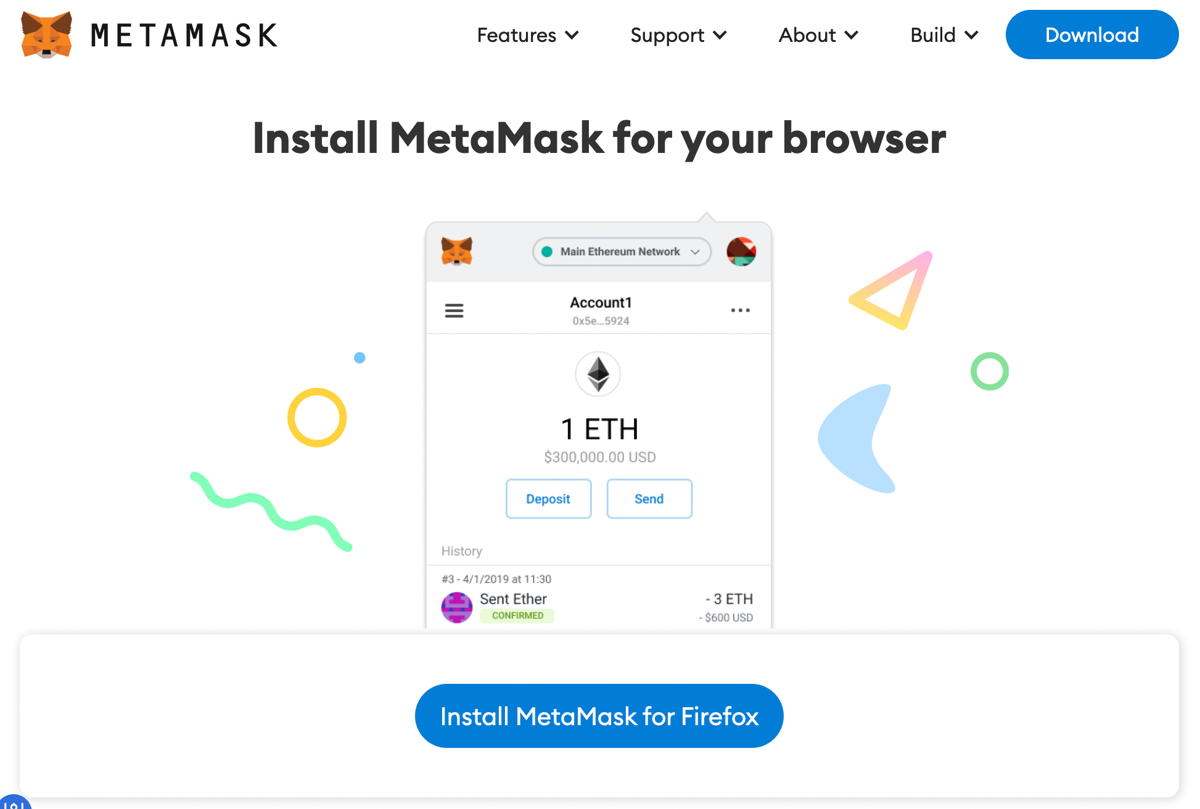
<p>First, click on <code>Install Metamask for Firefox</code>.</p>
<figure><img src="/uploads/imported-0f4a8e96259a620261421f78.webp" alt="" loading="lazy"><figcaption>Metamask</figcaption></figure>
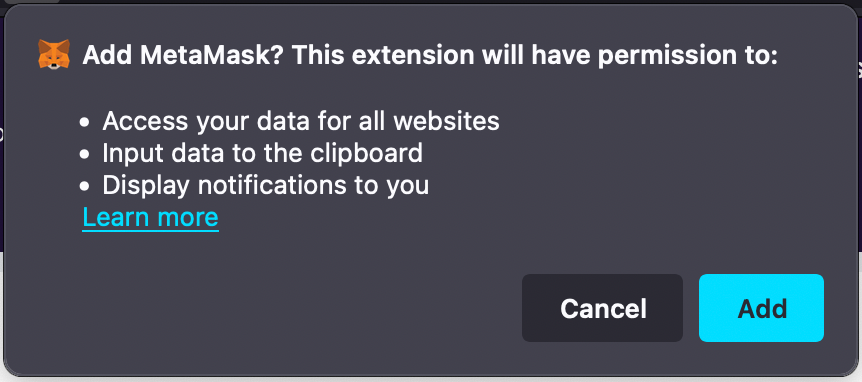
<p>Click on <code>Add</code>.</p>
<figure><img src="/uploads/20260615-180808-43a6ff12f2.png" alt="" loading="lazy"><figcaption></figcaption></figure>
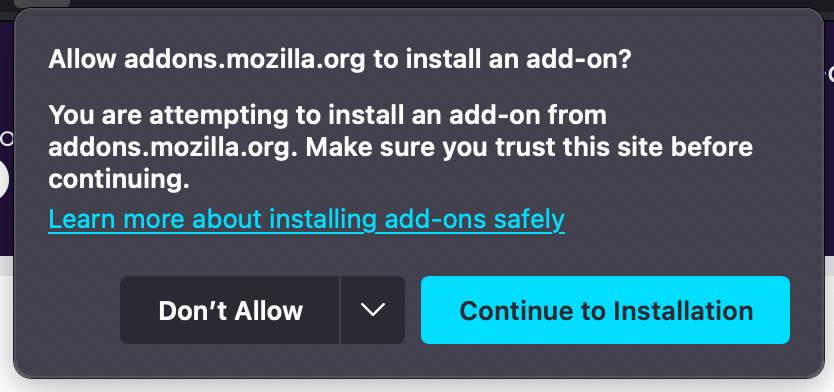
<p>Allow addons.mozilla.org to install an add-on by clicking on <code>Continue to Installation</code>.</p>
<figure><img src="/uploads/20260615-181036-c3337a60f6.png" alt="" loading="lazy"><figcaption></figcaption></figure>
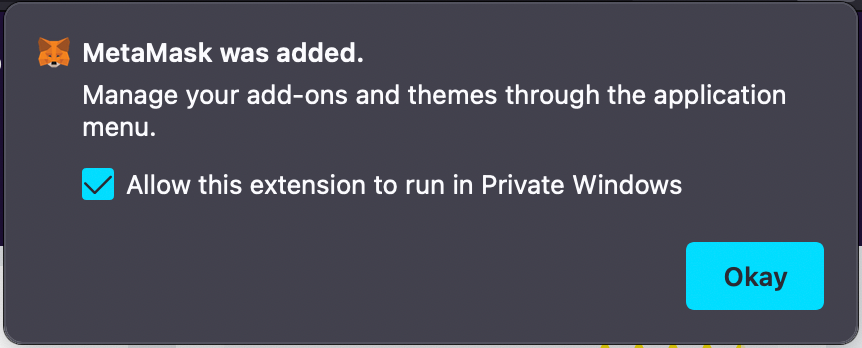
<p>Confirm that you allow this extention to run in Private Windows, then click on <code>Okay</code>.</p>
<figure><img src="/uploads/20260615-181040-c4707d35cc.png" alt="" loading="lazy"><figcaption></figcaption></figure>
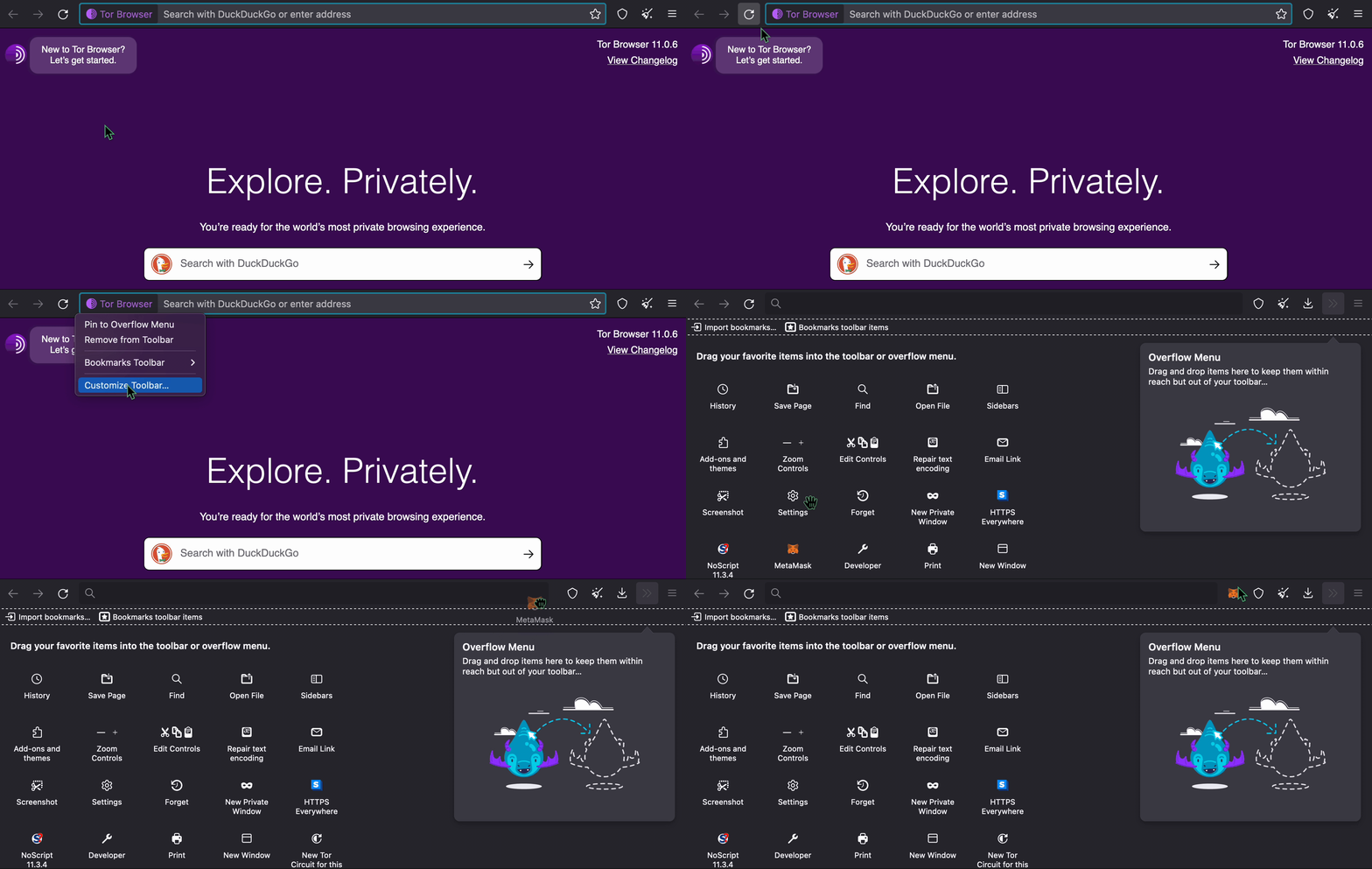
<p>Then, you can add Metamask to your toolbar, by doing a right click on it and dragging Metamask icon to your toolbar.</p>
<figure><img src="/uploads/imported-f99d7acd5fd2b950a9ee6595.gif" alt="" loading="lazy"><figcaption>DuckDuckGo</figcaption></figure>
<h3 id="step-4-enjoy-your-privacy">Step <strong>#4 - Enjoy your privacy</strong>😎\<em>\</em>\<em>\</em></h3>
<p>You can now use <a href="https://app.tornado.cash/" target="_blank" rel="noopener noreferrer">Tornado Cash Classic</a> or <a href="https://nova.tornadocash.eth.link/" target="_blank" rel="noopener noreferrer">Tornado Cash Nova</a> with TOR.</p>