The following governance rules apply to all Tornado Cash pools (including Tornado Cash Nova).
In order to participate in Tornado.Cash governance, users first need to lock tokens in the governance contract. If a user votes or creates a proposal, the tokens cannot be unlocked before the proposal execution period ends (8.25 days from proposal creation). The locked tokens can also be delegated to another address.
To create a proposal, a user needs to have at least 1,000 TORN. All proposals must be smart contracts with verified code that are executed from the governance contract (using delegatecall). This way, it’s easy to audit and test any governance changes.
The voting period for a proposal is 5 days. A proposal will succeed if it receives a simple majority of votes and there are at least 25,000 TORN total votes (if turnout is too low, the proposal automatically fails).
After a proposal succeeds, it is subject for a timelock of 2 days. After the timelock, any user is able to execute the proposal (which initiates the changes). If proposal is not executed for 3 days after that, it is considered expired and can no longer be executed.
All of these initial parameters are relatively small, since there won’t be many TORN tokens in circulation early on. But as the circulating supply increases, governance may adjust these thresholds.
A proposal can be of the following nature:
TornadoTrees contractAnd many more can be done. To find out exactly what can be changed through governance in the protocol, look for the functions with the modifier onlyGovernance in the smart contracts.
The governance functions are represented by a red arrow in this architecture diagram.
NOTE: Parts of this article was taken from this medium post. Credits goes to the Tornado cash team.
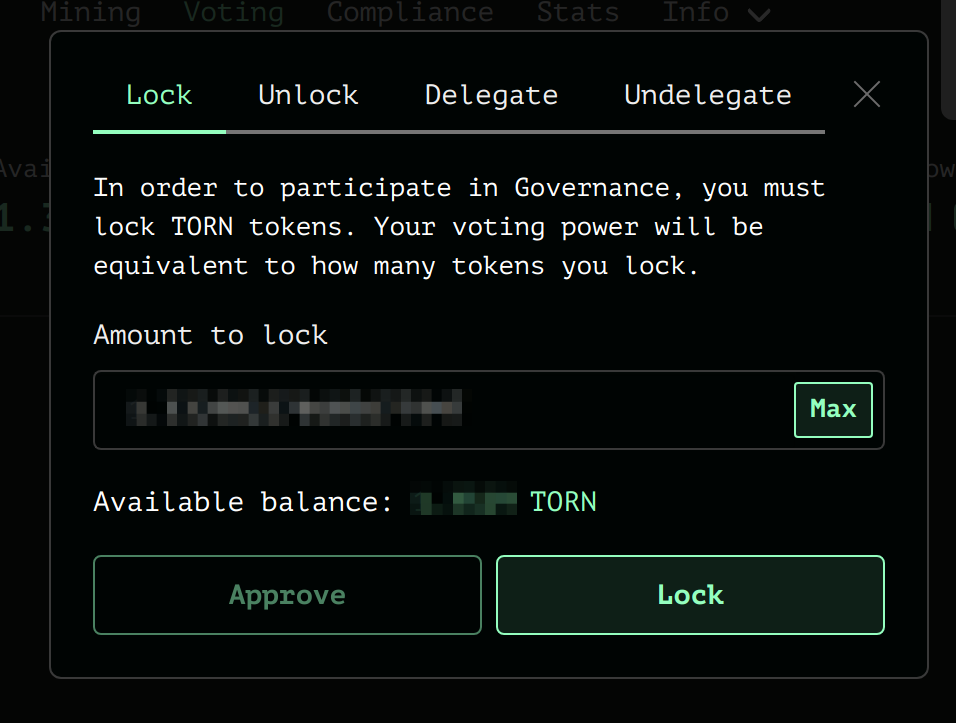
You first need to deposit (or lock) TORN tokens into the governance contract.
Go to: app.tornado.cash/governance
Click Manage -> Lock Tab
Approve the governance contract to transfer your TORN tokens by clicking on the Approve button. Once the approve is confirmed, chose the amount you want to deposit and click Lock. Confirm the transaction in your wallet and wait for the confirmation.
Before the vote, the next crucial step is to review the proposal. 
Legitimate proposals should have a dedicated post on Torn.community under the category “Proposal. The forum post will provide additional context and arguments on the proposal. Read the thread and make your own mind on the issue.
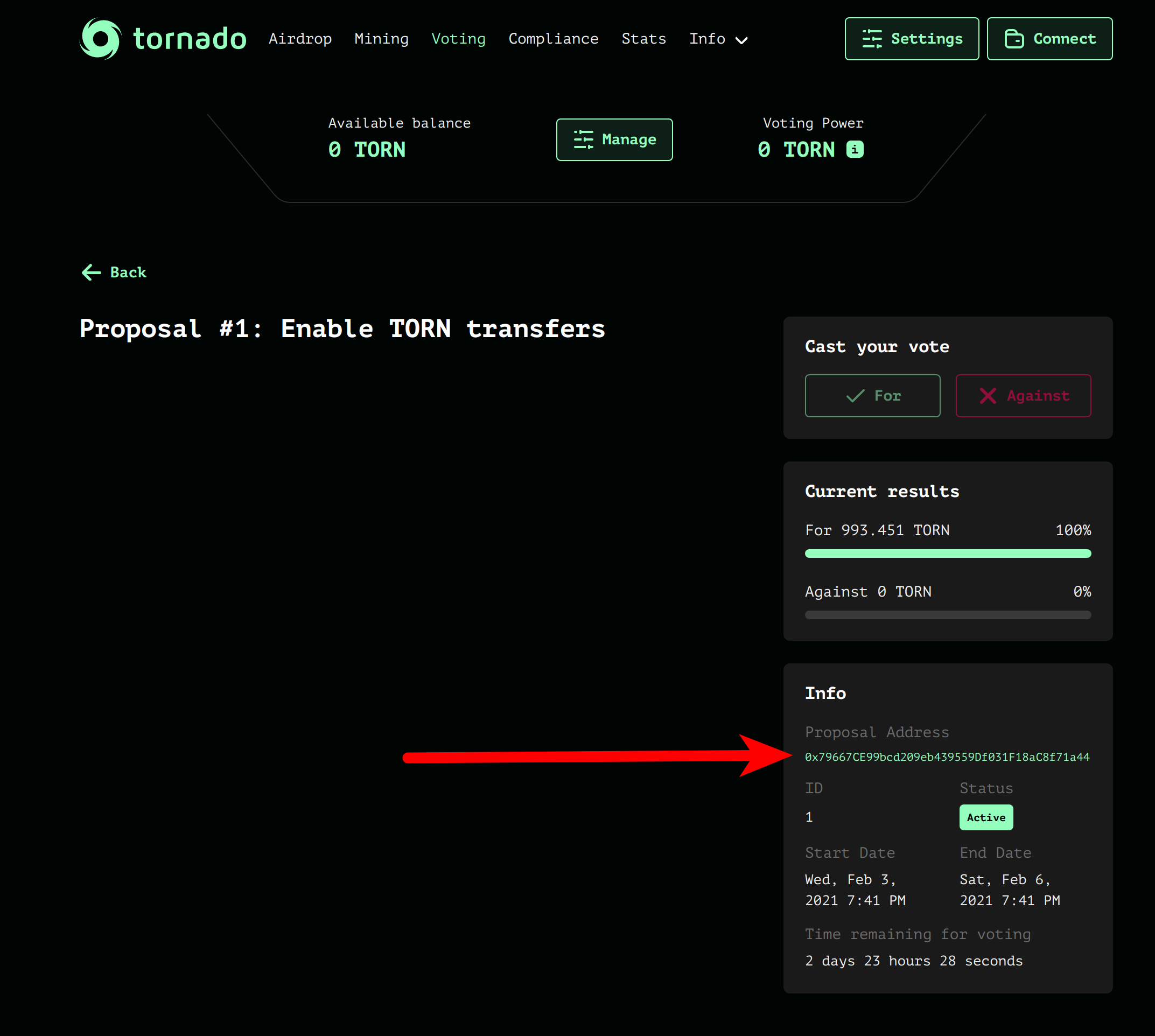
Once a proposal was submitted it should appear on: app.tornado.cash/governance
Proposal are implemented in the form of a smart contract making changes to the system. It is therefore important to verify the address of the smart-contract and review its code. Find the address of the proposal contract here:
Look for the contract address on Etherscan and make sure that the source code is verified and readable.
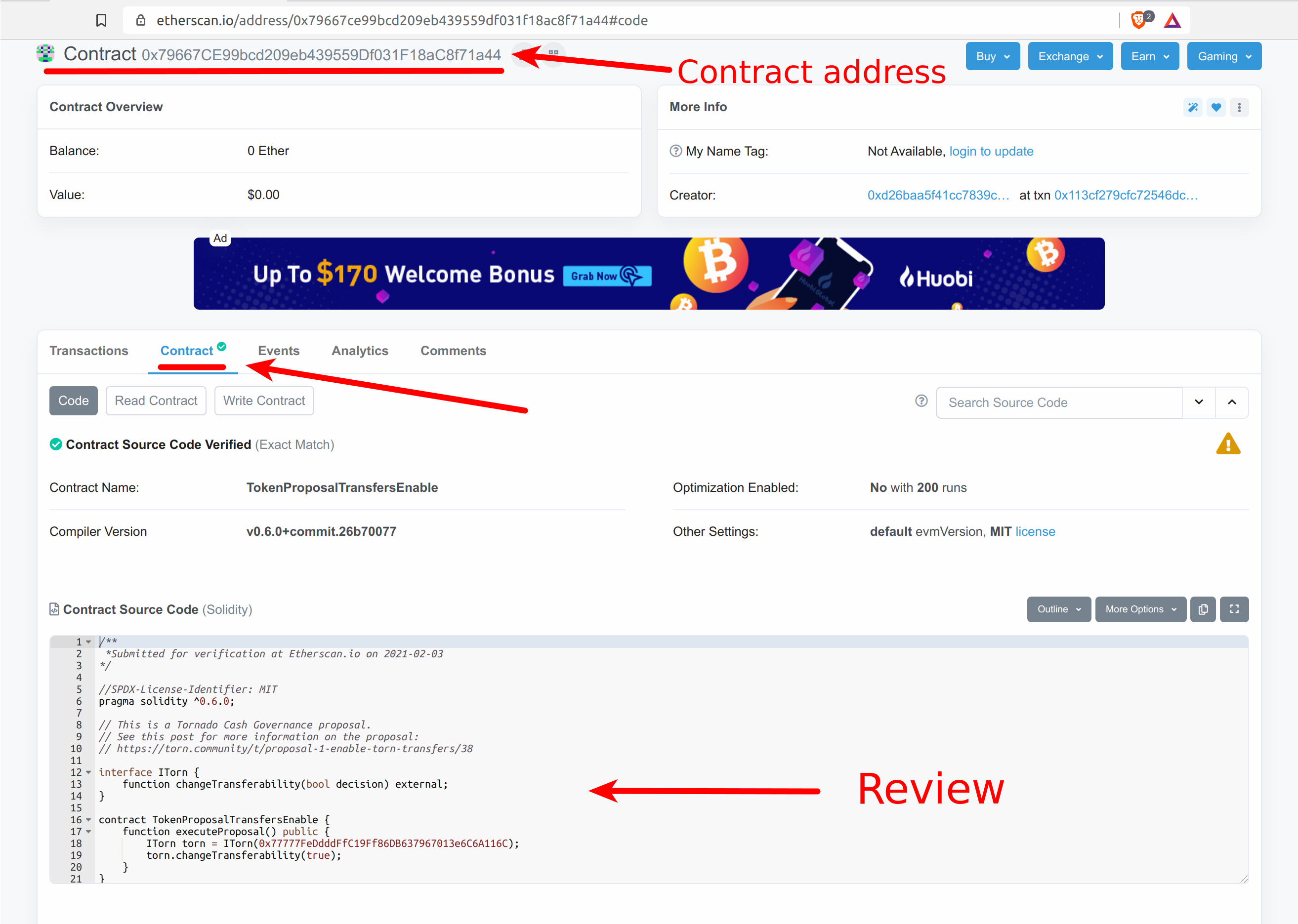
Read the source code and make sure that it matches what is described in the forum post.
If you are not technical or not comfortable to read Solidity code, get someone you trust to review the contract for you.
If you agree (or disagree) with the proposal code, it time to vote!
A proposal have a voting windows of 5 days. This means that we have 5 days to reach the vote quorum of 25k TORN.
Important: Once you voted, your tokens will be locked for 8.25 days from the moment the proposal was submitted (the start of the 5 days voting period). After the 8.25 you can withdraw your tokens from the governance contract. Note that you can vote on 2 proposal at the same time without incurring additional lockup period (Only the most recently submitted proposal will matter for the 8.25 lockup).
To vote, simply click on the Green check mark or the the red cross depending whether you accept or reject the proposal. Confirm the transaction with Metamask and your vote is in!
If you are a TORN token holder, you can delegate your voting power to someone else without having to send him the tokens.
IMPORTANT: If you delegate your tokens and that your delegate votes or initiate a proposal, your tokens will be locked for 8.25 days from the moment the proposal that the delegate voted on started. Note that that you can always undelegate at any time.
To achieve delegation, go to: app.tornado.cash/governance
You first need to lock your tokens in the governance contract.
Click Manage -> Lock tab
Approve the governance contract to transfer your TORN tokens by clicking on the Approve button. Once the approve is confirmed, chose the amount you want to delegate and click Lock.
Confirm the transaction in your wallet and wait for the confirmation.
The last step, is to make the actual delegation. Go again to app.tornado.cash/governance
Click Manage -> Delegate tab
Fill-in the address to which you want to delegate and click Delegate. Approve the transaction in your wallet and wait for confirmation.
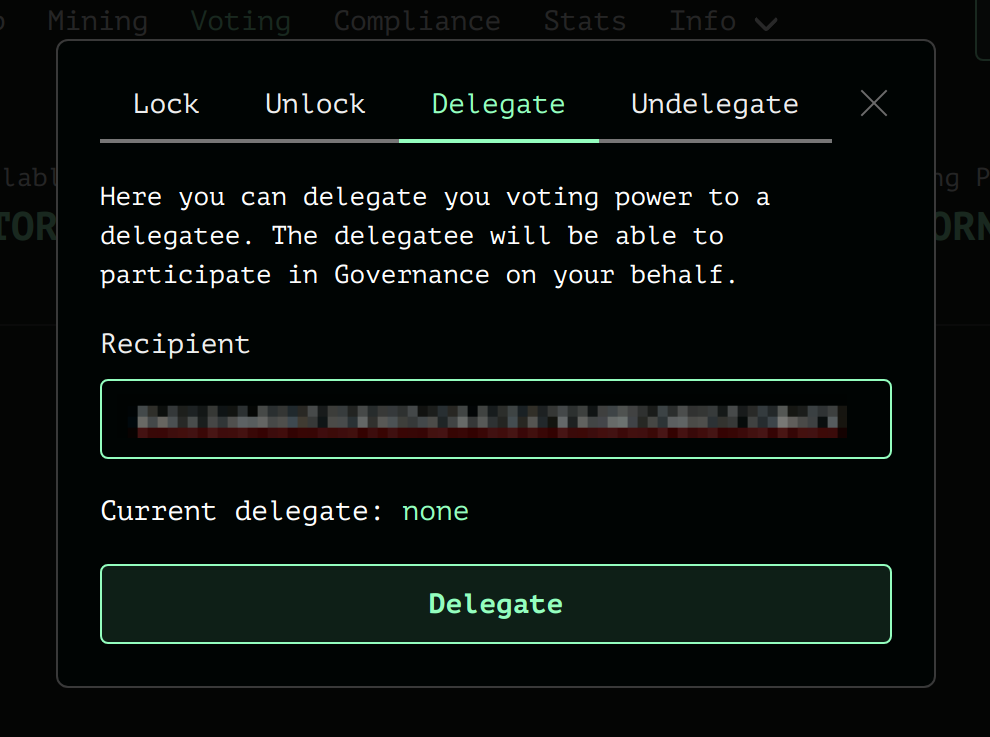
The totality of your locked balance will be delegated.
You can undelegate at anytime. To undelegate simply use the Undelegate Button in Manage -> Undelegate Tab.